Datafox Configuration
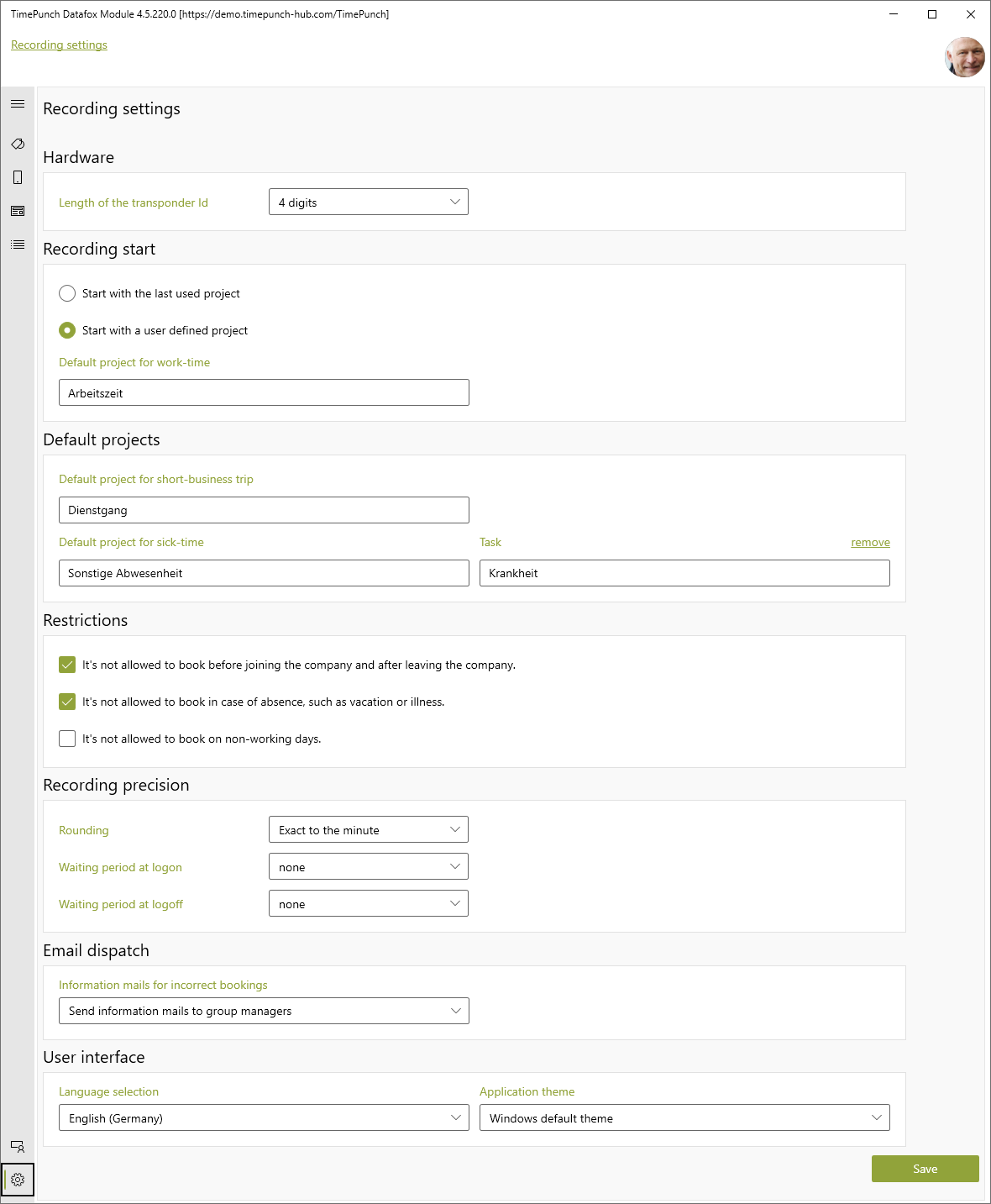
The "Settings" menu item displays the configuration dialog of the Datafox module.
The following settings can be made here.
Hardware
The transponder key length defines what length the transponder ID has. For TimePunch, this is usually 4 digits.
Recording Start
The recording start defines which project TimePunch uses to book in the employee.
For example, this can always be the last project used, or a fixed project, e.g. working time.
Standard projects
Standard projects are projects that are assigned to fixed bookings.
Business trip
All activities that the employee can book at the terminal via the "business trip" menu item are assigned to the business trip project.
Sickness
The booking for illness is a special case and is only required in connection with a temperature measurement at the Datafox terminal. If the employee has elevated temperature, then it is automatically booked to the selected project "Sickness".
Restrictions
Under the item Restrictions, non-booking reasons can be selected that prevent employees from booking time at the terminal.
These include, for example, preventing bookings before joining or after leaving the company. Preventing bookings during absences, e.g. vacation or illness. This can be used to prevent an employee from reporting to work despite being sick at work. Or preventing posting on non-working days, such as weekends.
Recording Precision
Recording precision determines whether clock-in and clock-out entries must be rounded, and if so, what grace period the employer gives employees.
Example:
If a rounding of 5 minutes is selected with a grace period of 2 minutes, then the employee can start 2 minutes after 8 and his time will be counted from 8:00. If, on the other hand, he starts 3 minutes after 8, then his time is rounded up to 8:05.
E-mail sending
This specifies the address to which information about erroneous bookings will be sent.
User interface
In the user interface the language, as well as the mode of the application (light/dark) is set.
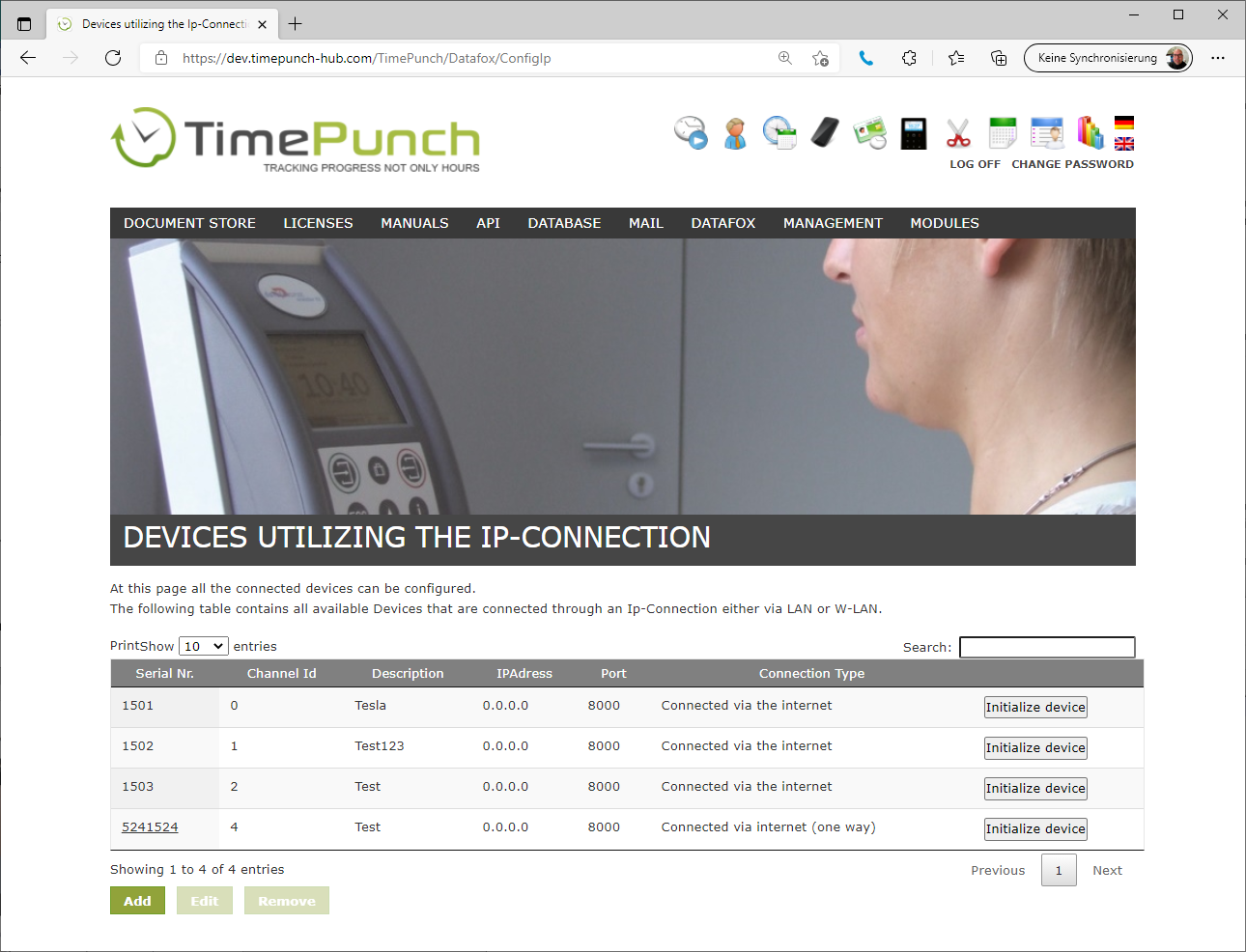
Alternative configuration via the web interface
The time recording devices can be created not only in the Windows client, but also directly in the web interface. This is done via the menu item "Datafox / Configuration" in the application server.