Release Notes
Here is an overview of the latest new features in Release 6.1 for January.
New general UI features
The stacked UI in TimePunch Management, introduced in version 5.0, has been comprehensively revised in 6.1. When opening a new level of detail (e.g. from the monthly view to the daily view), the previous view is now reduced more significantly. This provides more space for relevant content in the same area.
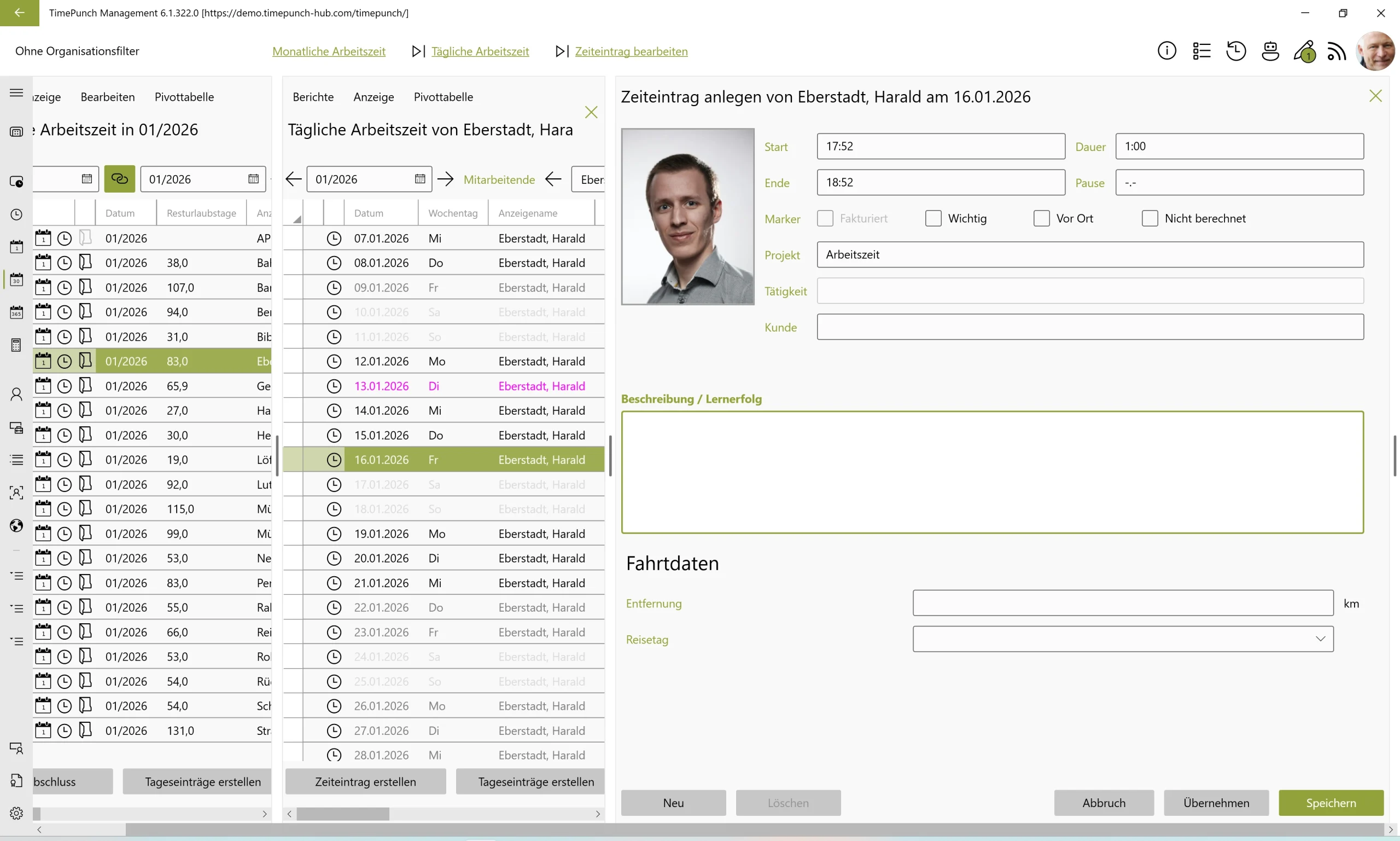
The new UI noticeably increases usability and provides a significantly better overview.
New features in management
FS#2144 – Overtime limit within the month
Previously, if you wanted to set an overtime limit or payout in TimePunch, you could only do so at the end of the month. With TimePunch 6.1, overtime can now also be limited and paid out during the month.
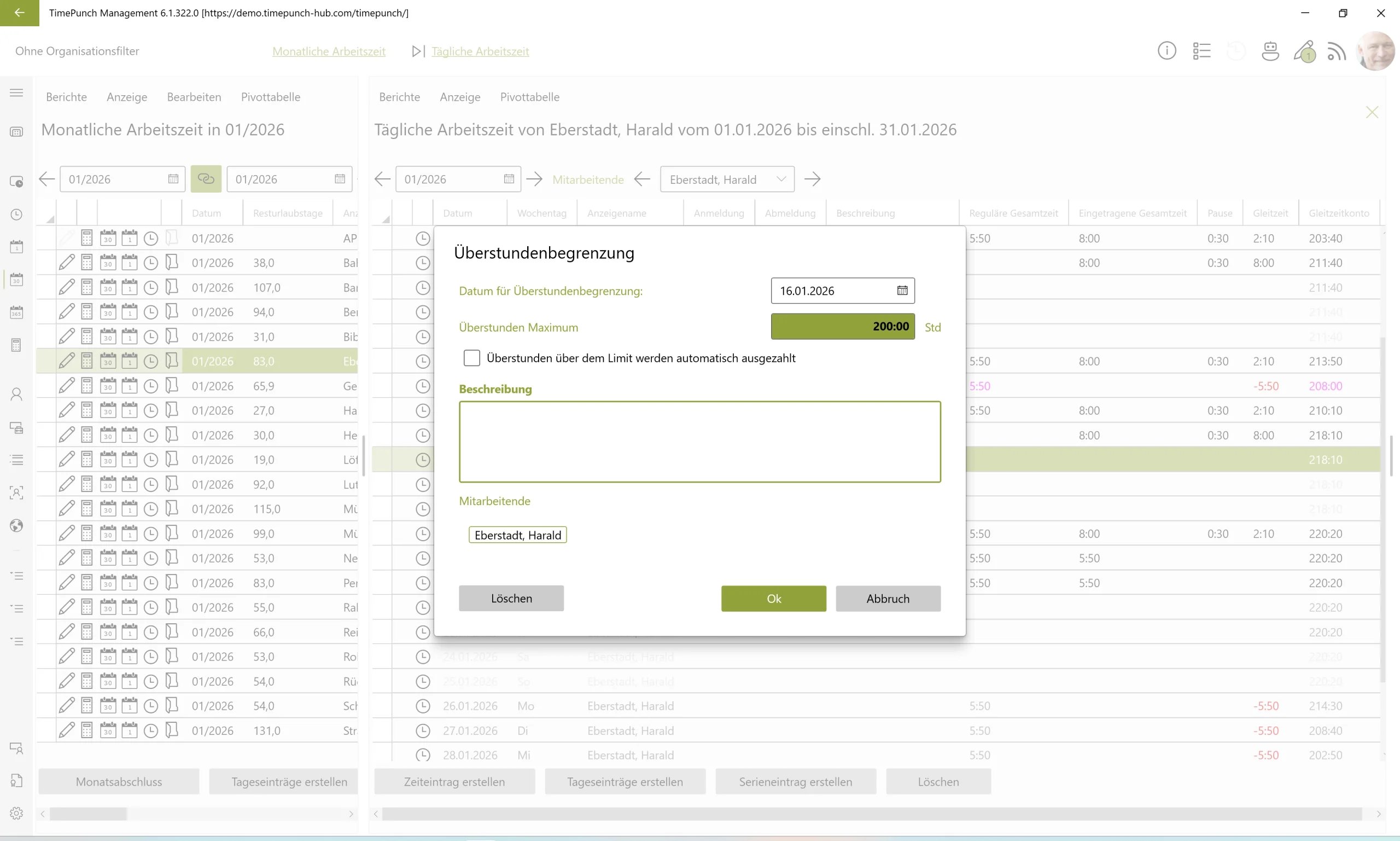
This makes it even easier and more intuitive to use. And best of all: in future, even more functions will be configurable directly for specific days – a real plus point.
FS#2164 – ‘Absence’ booking type also permitted at weekends
From version 6.1 onwards, the ‘Absence’ booking type can now also be set on weekends.
This makes it possible to explicitly mark weekends as non-working days. From a purely computational point of view, this is not absolutely necessary – but it does add clear value in terms of clarity.
This function provides additional transparency, especially in companies where employees occasionally work on weekends: Employees can clearly see that no work is expected on a particular weekend.
FS#2135 – Multiplier. Time factor also for working hours
TimePunch 6.1 introduces the time factor for working hours. When is this needed? The time factor can be used, for example, for work on weekends or public holidays.
For activities with a time factor, the recorded working time is multiplied accordingly. Example: Work with a factor of 2 is credited twice to the working time account.
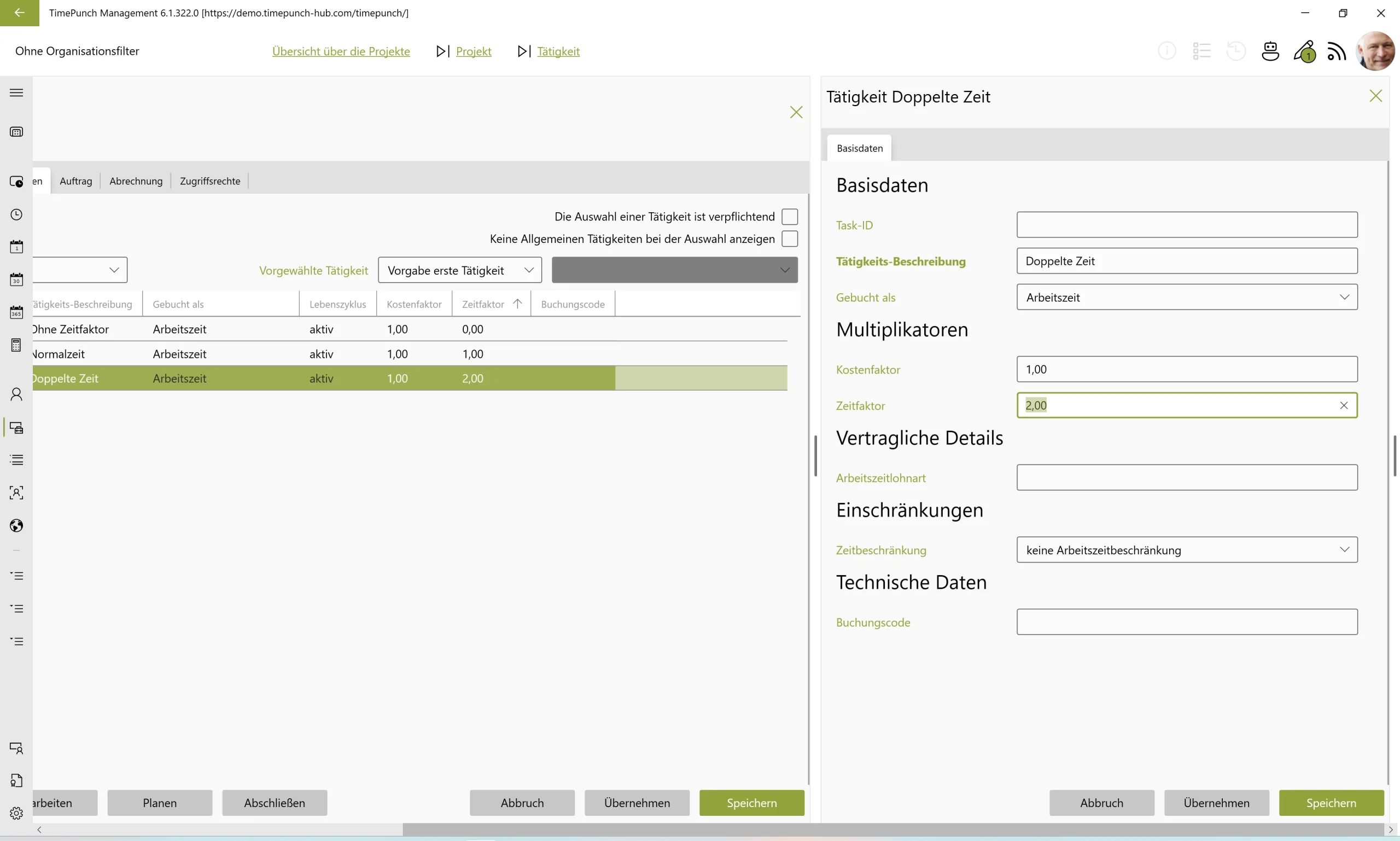
In addition to the time factor, the cost factor continues to exist as before. This determines the invoicing of working time in the billing process.
New functions in the online module
FS#2136 – Project accounting in the online module
Previously, only Watcher offered the option of project accounting. This means first booking a working day without interruption and then dividing the entry into individual time blocks and assigning them to projects.
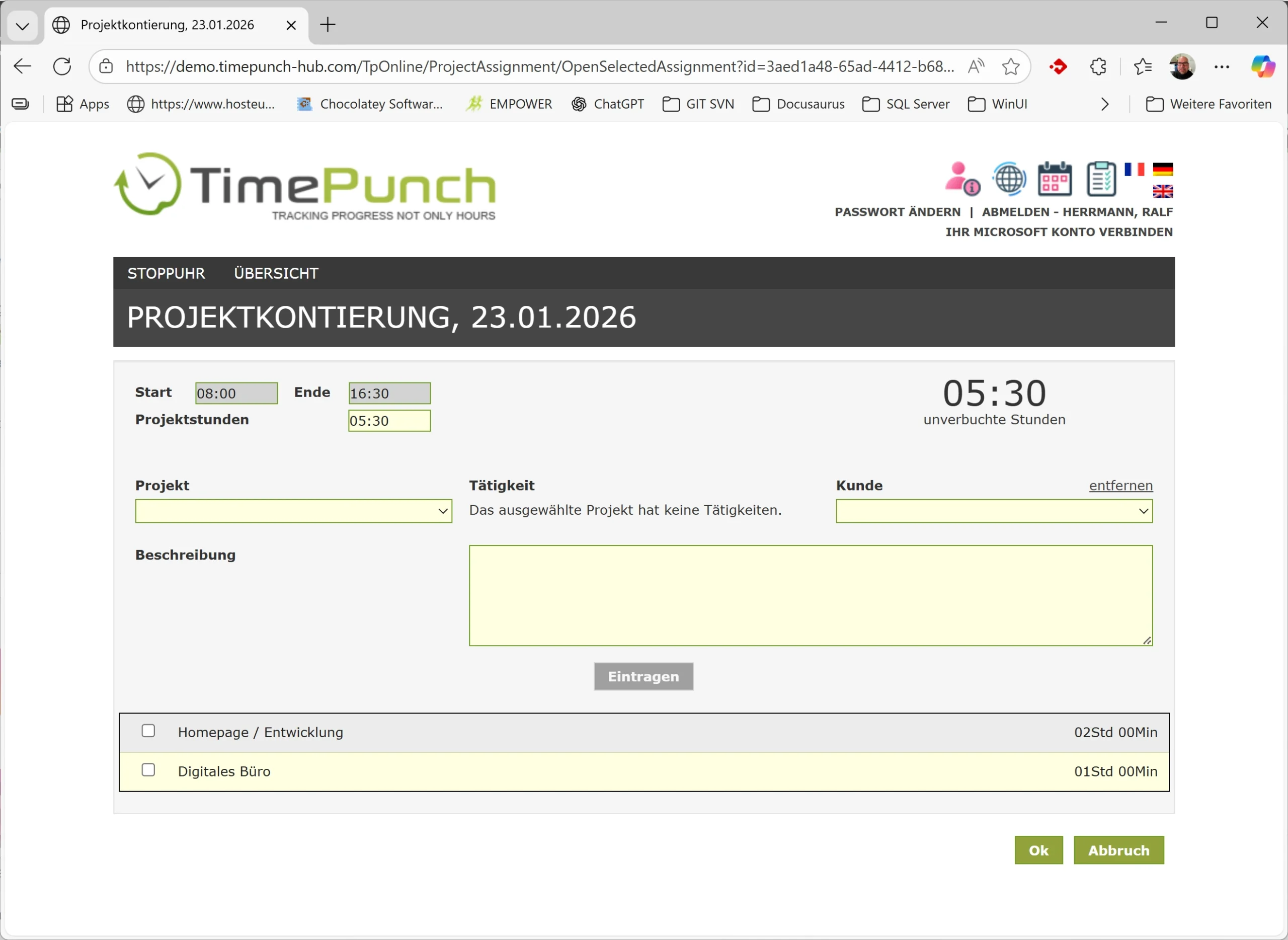
This makes time recording much easier, as project changes no longer have to be made during the day and the workflow is not unnecessarily interrupted.
New functions in the calendar
FS#1644 – Sending Outlook calendar entries to the substitute
From version 6.1 onwards, not only the applicant receives an automatic calendar entry in Outlook, but also the registered substitute.
This allows the substitute to see directly in their own Outlook calendar when they will be taking over the holiday cover. This ensures greater transparency and even more reliable planning within the team.
New functions in the Datafox module
FS#2038 – Datafox licence
A new Datafox licence is being introduced with version 6.1. This licence can be specifically assigned to employees who are exclusively responsible for the following tasks:
- Management and allocation of RFID transponders
- Maintenance of access lists
This allows the range of functions to be controlled on a role-based and needs-based basis.
The following bugs have been fixed
- FS#2124 – Holiday calculation for the following year
- FS#2166 – Deselecting groups in the employee profile does not work
- FS#2169 – Caching of annual leave
- FS#2161 – Display of the “Total” column is incorrect
- FS#2170 – Terminal grouping does not work
- FS#2143 – Info texts do not show any other employees
- FS#2172 – Organisation filter in the Datafox module
- FS#2163 – Copy settings from: copies OAuth
- FS#2104 – Uploading profile picture
- FS#2112 – Batch processing: Assign project/activity
- FS#2148 – Audit: Saving recording settings
- FS#2150 – Change requests: Reloading daily working hours
- FS#2156 – Report, holiday provision
- FS#2162 – Create serial entries with duration only
- FS#2168 – Analysis panel does not update when employee changes
- FS#2176 – Project report ignores user-defined date