Release Notes
Here is an overview of the latest new features in Release 6.3 for July 2026.
With the update to version 6.3, the technical foundation for communication with TimePunch has been changed. Any custom extensions we have provided must be adapted to the new version and rebuilt by us. Please send a support email to support@timepunch-info.de
New Features in Management
FS#2278 – Approval of Project and Work Hours
TimePunch now also supports the approval of project and work hours. In the future, projects can be configured so that project managers and their assistants can approve project hours. The same applies to direct supervisors, who can approve their employees’ work hours.
The corresponding option can be enabled in the settings:

Work times are then approved either directly via individual entries or via the new approval panels, which specifically display all times from the previous month that require approval.
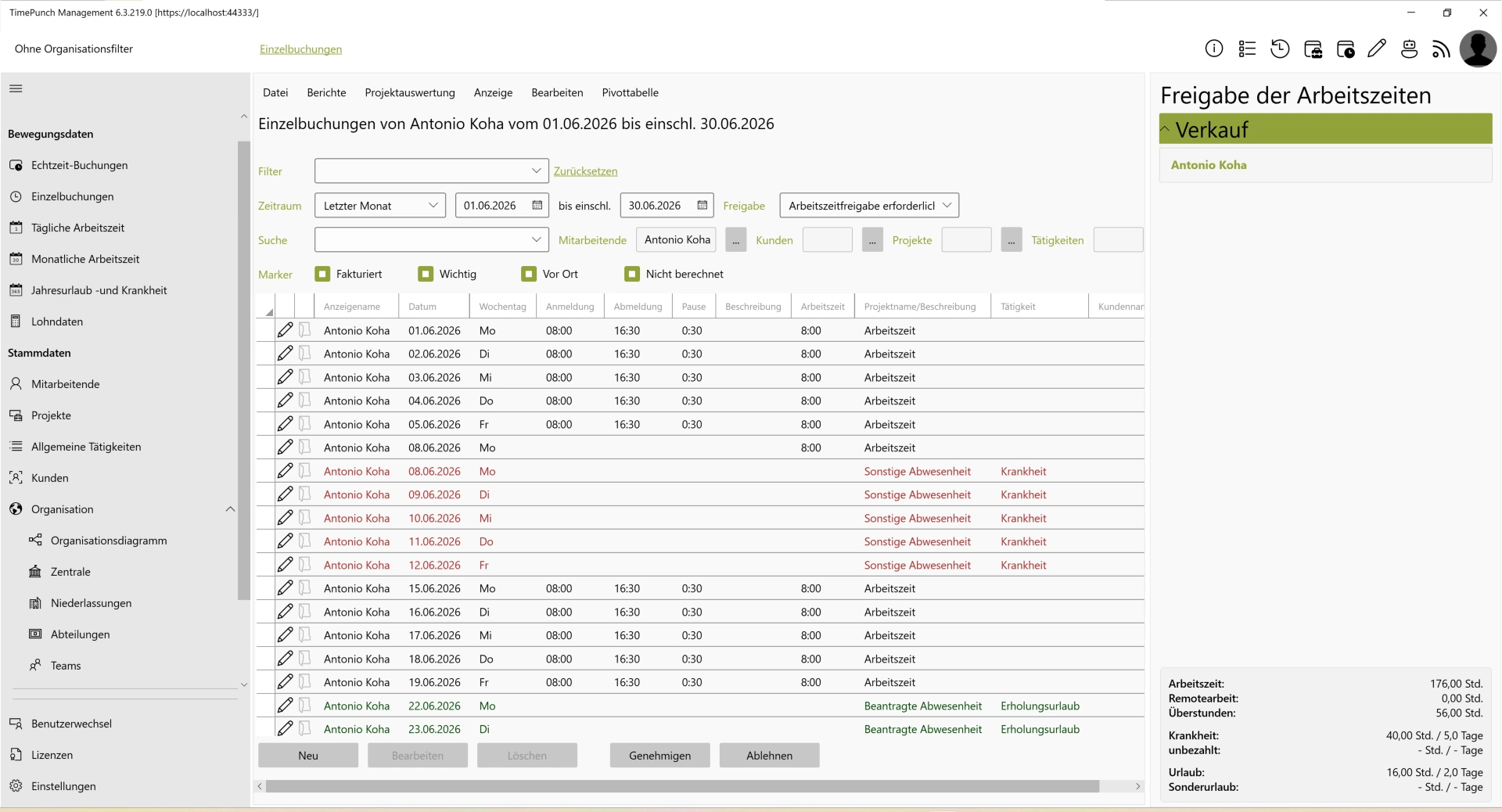
For TimePunch 6.4, there are also plans to make the review of project and work hours optionally mandatory and to integrate it into an approval workflow.
FS#2134 – New Multiplier: Budget Factor:
TimePunch version 6.3 introduces another multiplier: the Budget Factor. This brings the total number of available multipliers for activities to three.

The cost factor determines the amount of billed time, the time factor defines how working time affects employees’ time accounts, and the new budget factor defines the extent to which recorded time affects the project budget.
New Features in TimePunch Datafox
FS#2280 – Support for Uhlmann & Zacher Lock Cylinders
The current version of the TimePunch Datafox module no longer supports only Datafox access readers, but also lock cylinders from Uhlmann & Zacher. This opens up new possibilities in combination with Datafox access solutions.
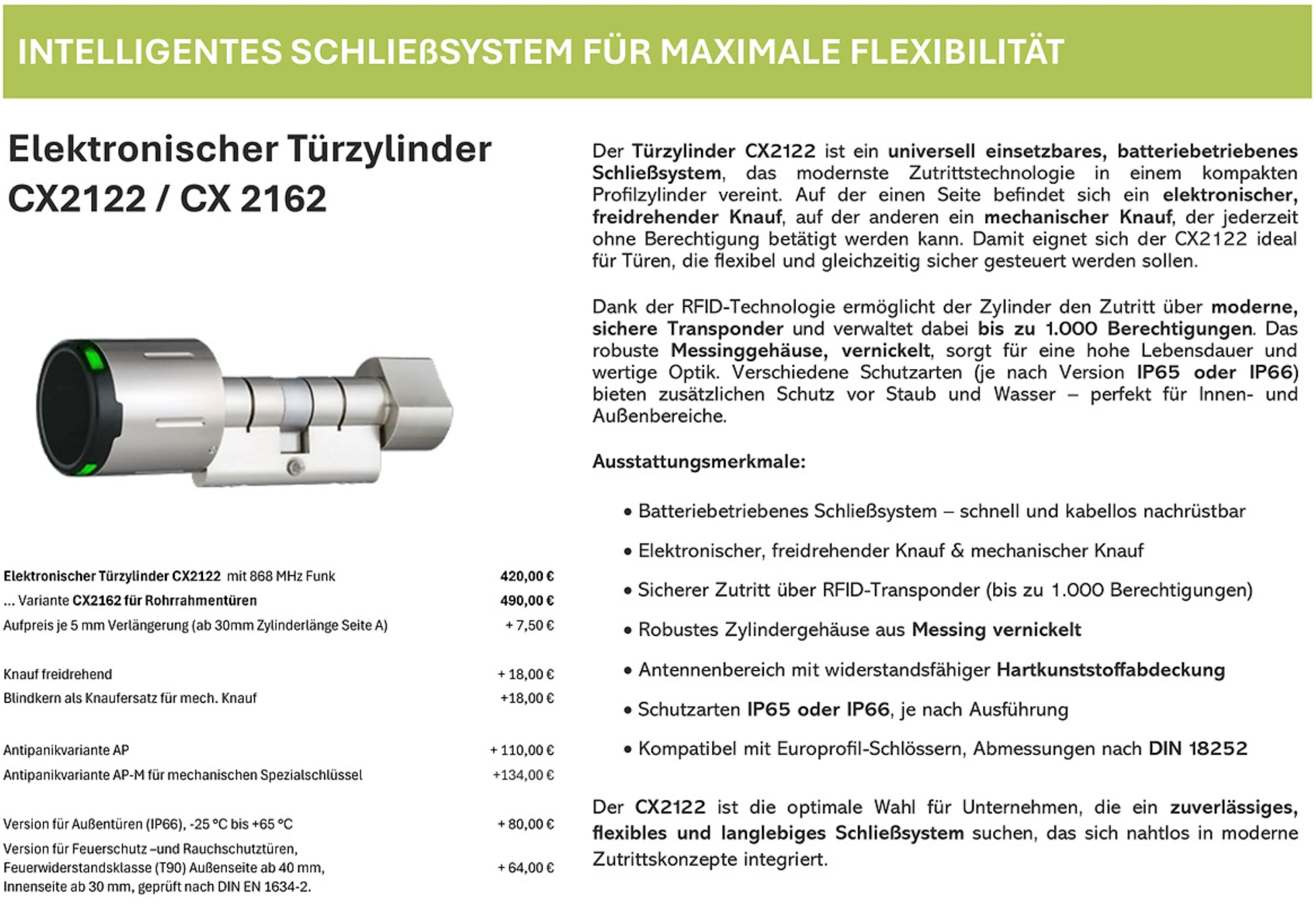
Curious to learn more? Just send us an email at info@timepunch.de
FS#2282 – Sending New Notification Emails for Incorrect Time Entries
The Datafox module now offers new options for automatically notifying users of incorrect time entries. In the future, not only the HR department but also the affected employees themselves can be notified directly via email.
If an incorrect clock-in occurs, employees receive an immediate notification and can make the correction directly at the terminal.
The following bugs have been fixed
- FS#2288 - Confirming a change request causes the link to the employee to be lost
- FS#2287 - Display of remaining vacation days in the “Edit Annual Leave” dialog
- FS#2285 - Changing the application mode causes a crash
- FS#2283 - Optimized calculation of the earliest start date for recalculation
- FS#2281 - Employee status does not update
- FS#2274 - Adjust the color of the lock icon next to the login name in dark mode
- FS#2271 - Automatic closing of time entries does not account for the default break
- FS#2267 - Reason for change in the request is not visible