Common tasks
Overview
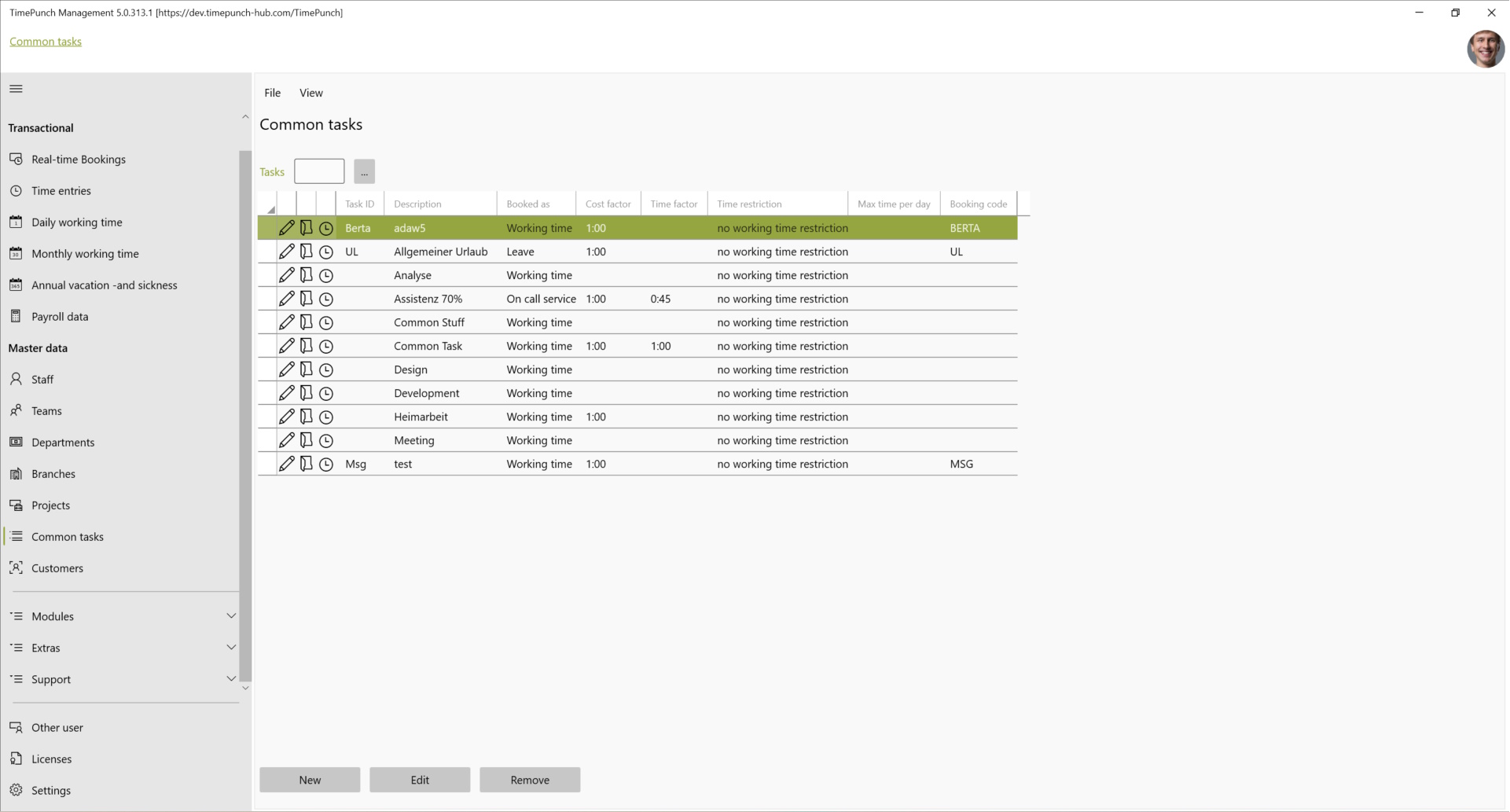
The worksheet "Common Tasks" shows the tasks that are always and by default available in every project.
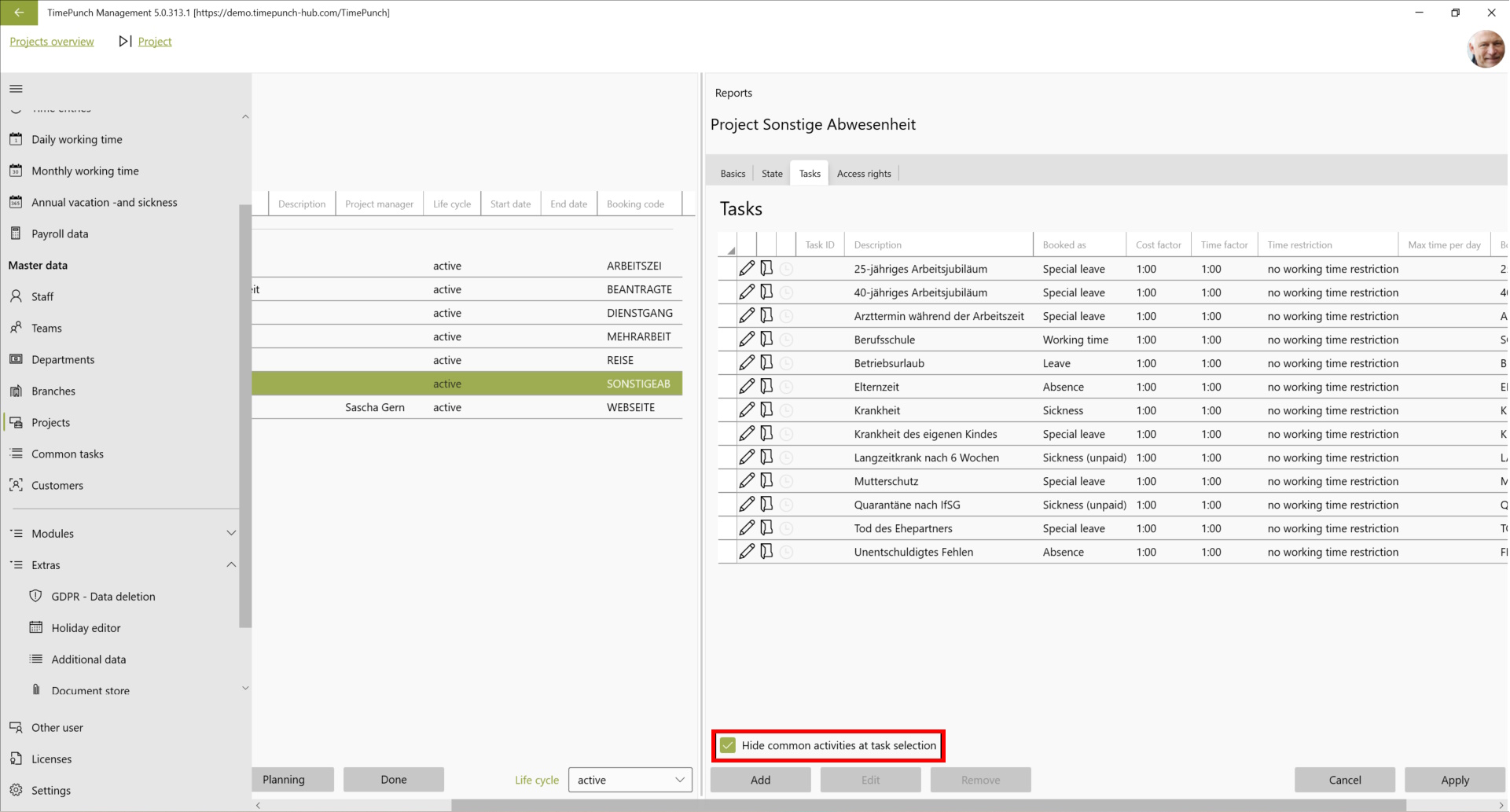
Tip: If the display of the Common tasks in a project is to be prevented, this can be prevented via the checkbox "Do not display Common tasks during selection". can be prevented.
Access Rights for General Tasks
For each general task, you can specify individually which employees are allowed to book it. The access rights are configured directly for the respective task.
To do this, double-click the activity to open it. In the “Access Rights” tab, you can then specify the authorized employees.
The following rules apply:
- No restriction: If no specific access rights are defined for an activity, all employees may book it, provided they are authorized for the respective project.
- Restricted access: If specific employees are assigned to a task, only those employees may book it, provided they are also authorized for the respective project.
- Project authorization takes precedence: Authorization for a general task never extends access rights to a project.
Activity permissions are therefore always a subset of project permissions. Activity permissions can be used to further restrict access within a project, but not to expand it.
Note: If general activities are hidden in the project settings, they will not be available for selection in that project, regardless of the assigned activity permissions.
On-call service
In TimePunch, it is possible to enter a period or duration as On-call service. To do this, it is necessary to first create a new activity with the booking type "On-call service".
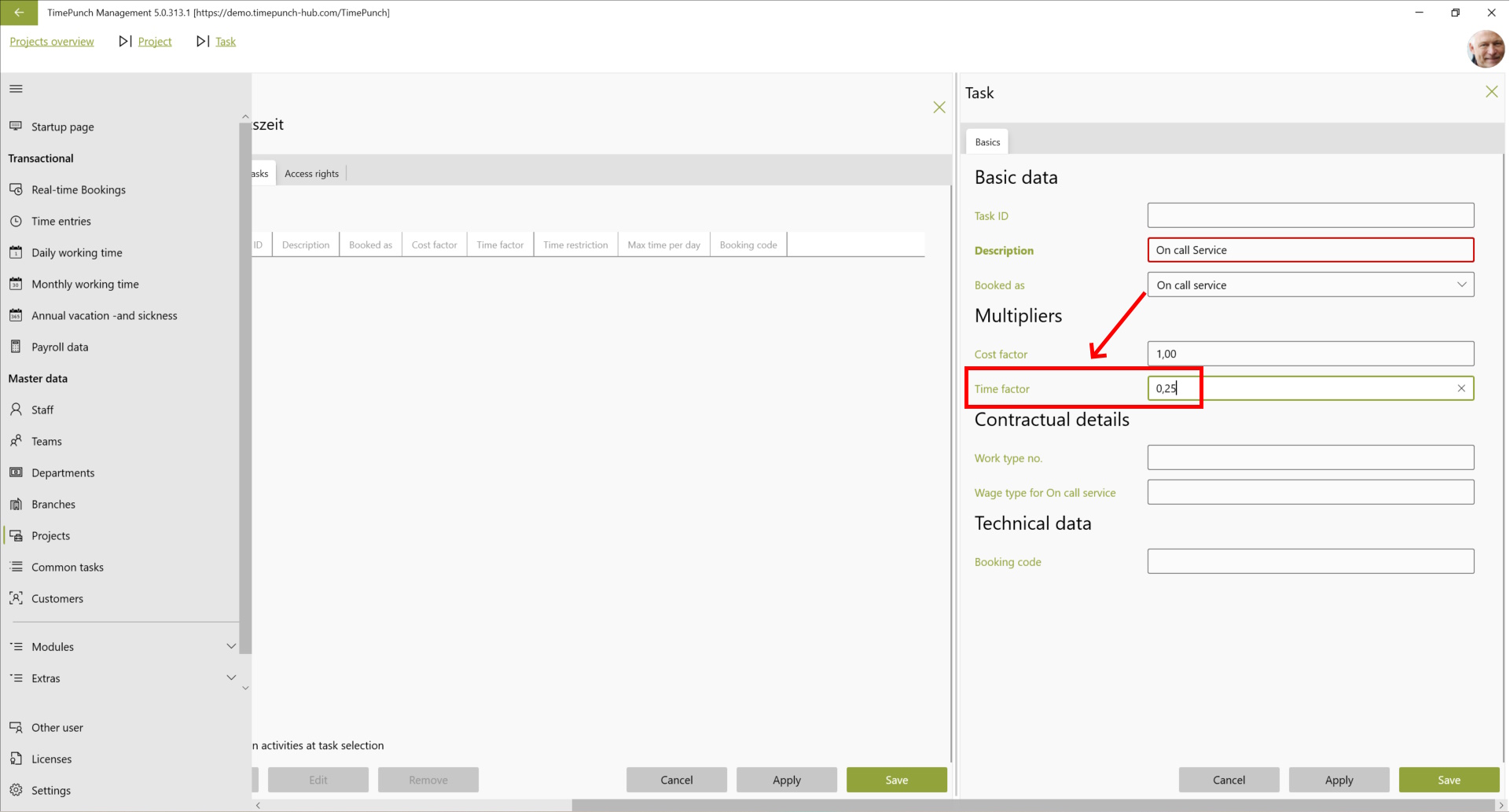
In this context, it is important that the On-call service entries can be credited as a percentage of the working time. This is done via the setting "Time factor".
Tip: On-call service is preferably created in TimePunch via the context menu "Create series entries". Here, the from - to date as well as the duration per day can be defined for the series entry.