Approval persons
In TimePunch, approvers or authorization personnel are authorized to approve change requests or approve work hours.
By default in TimePunch, the employee’s immediate supervisor always approves change requests and work hours. If this person is not appropriate, the approver can be specified directly.
To do this, an administrator or HR manager must log in to the Self-Service Portal. On the “Approvers” page, the currently designated approver for each employee is displayed in the corresponding section for change requests or work hours.
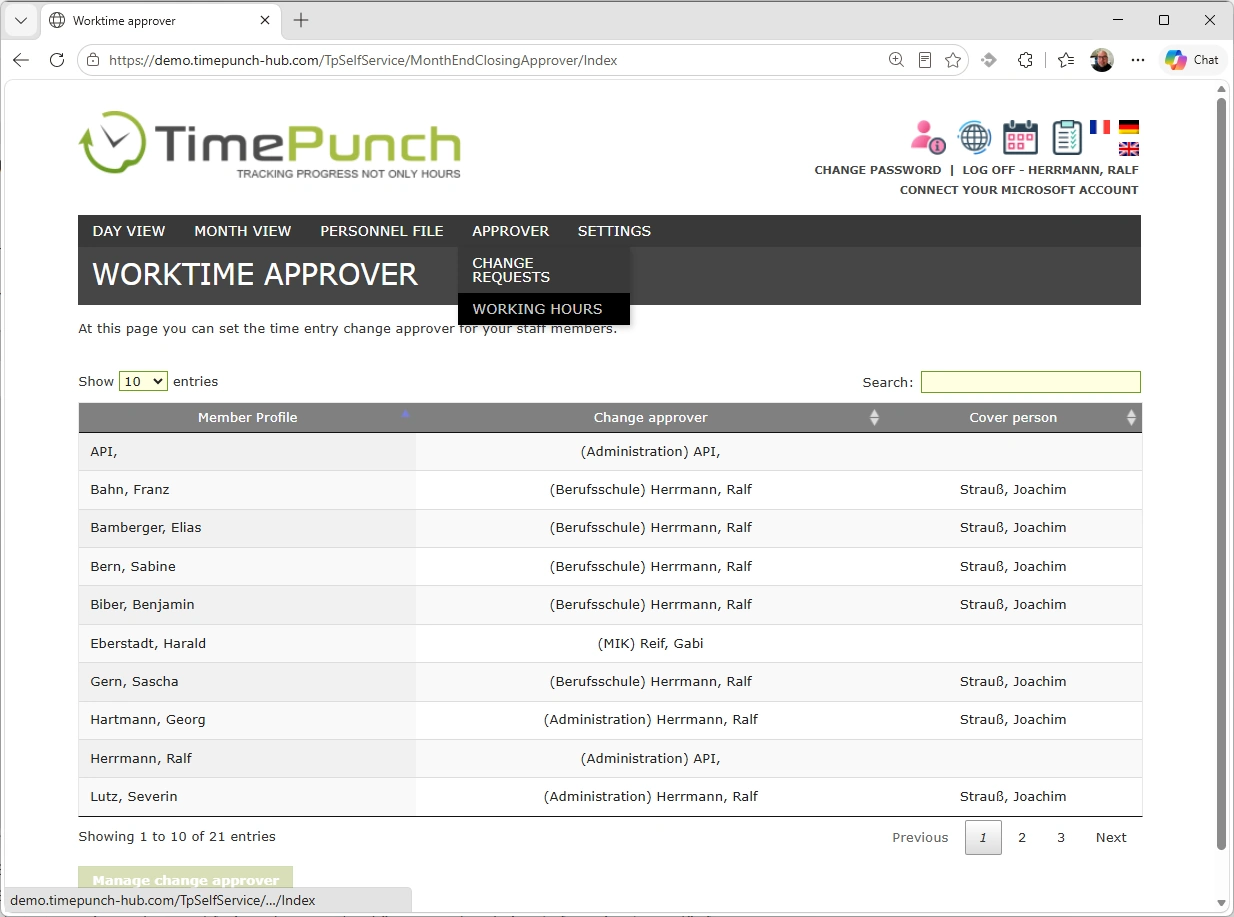
The “Set Approver” button can be used to designate the approver.
You can select any employee defined as a manager in the organizational structure. This includes, for example, team leaders, department heads, branch managers, and all administrators.
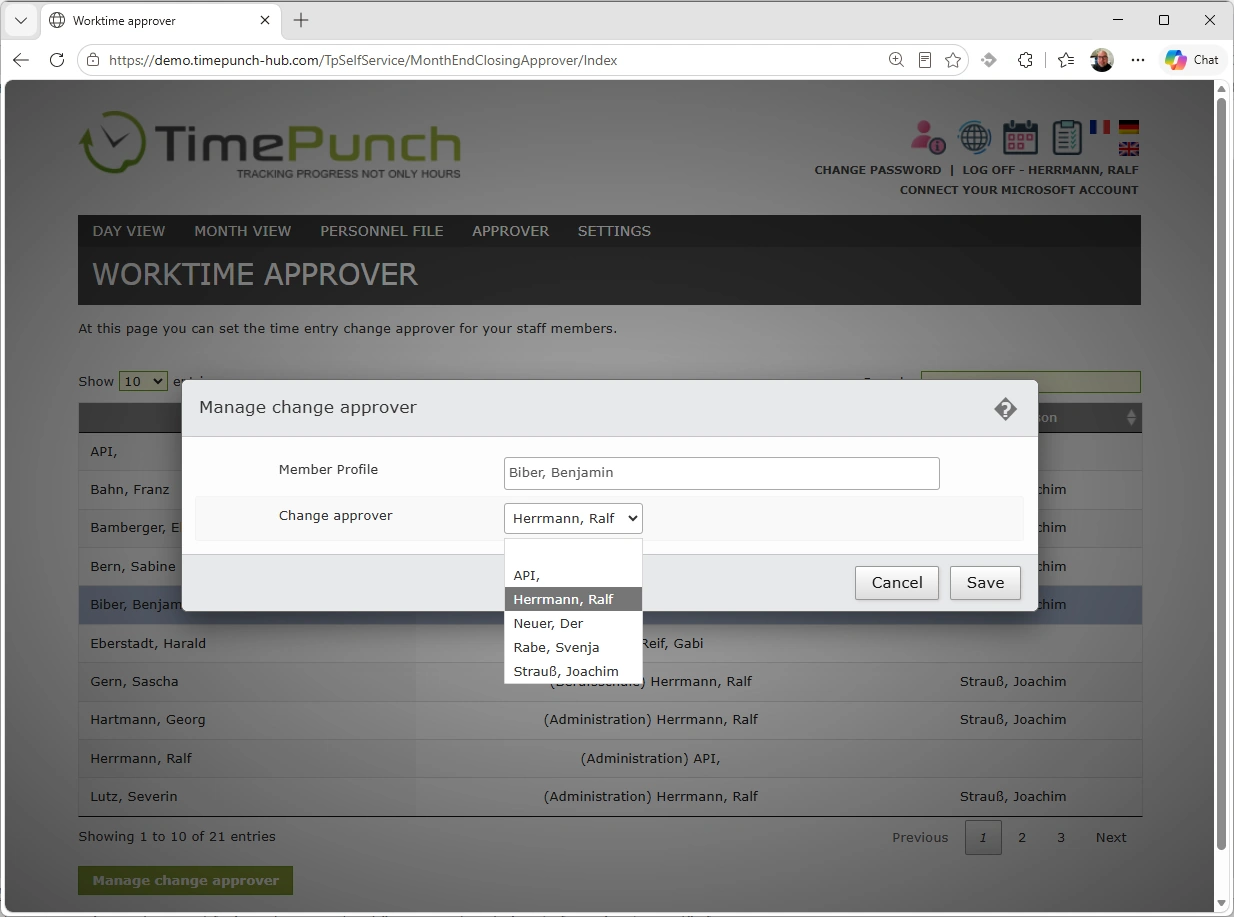
To reset the approver to the default, you must deselect the approver.